
Operational QR codes only your team can open
Not every QR belongs on the public internet. With a password gate or an IP allowlist on your corporate network, you can put a sticker in the kitchen, the warehouse, the press kit, or the office — and trust that only the right people open it.
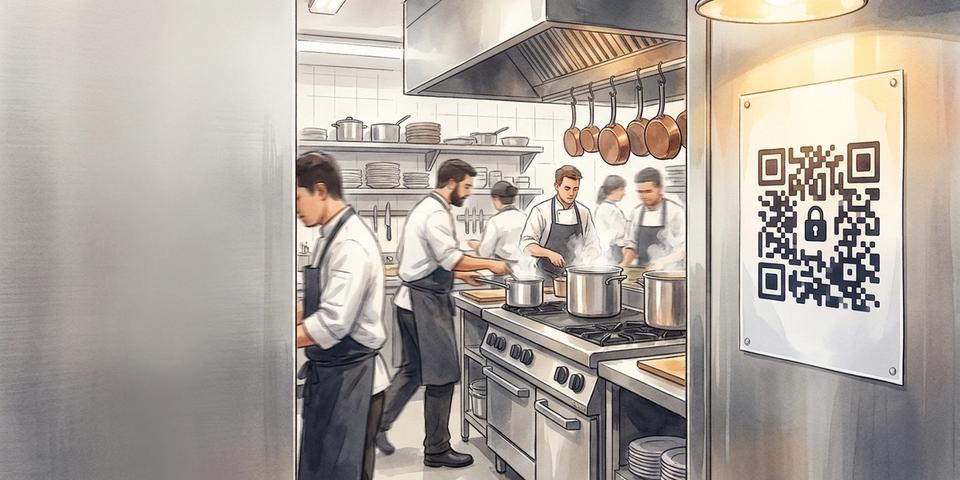
- Lock a QR code behind a password (works everywhere) or restrict it to your office IP range (works on the corporate network).
- Combine with other rules — date_range for press embargoes, visit_count for one-time-use, geofence for on-site only.
- Same QR sticker, different audience: technicians get the manual, customers get the marketing site — the rule decides.
- Stickers stay on the wall when staff turns over. Rotate the password, not the printed material.
- GDPR-friendly: no email collection, no user account required — just a code on a poster and a gate that knows the difference.
Not every QR is meant for the public
Most QR codes you've seen on the street, on a menu, on a bus stop — they're aimed at any phone that walks by. That's the point. But there's a quieter category of QR codes that have nothing to do with the public: the laminated cleaning protocol on a kitchen wall, the equipment manual taped to the side of an industrial dishwasher, the press kit a journalist scans hours before an embargo lifts, the floor plan on a wall in a finance department's filing room. These QRs work hard, every day, in places customers never see. With qrgeno's rule engine you can keep them that way — same printed sticker, same easy scan-and-go for staff, but a hard wall for everyone else.
Back-of-house: kitchens, warehouses, production floors
A restaurant chain prints one QR sticker per station: cleaning checklist, allergen sheet, supplier sheet, the night manager's escalation tree. The poster lives on the wall behind the line for years; it doesn't matter that staff comes and goes. What matters is that a guest who wanders into the kitchen and scans it doesn't get the operational content — they get a friendly "Sorry, this is for our team" page or a redirect to the public website. Same sticker, two outcomes, decided by the password the chef shares on shift change. When the password rotates next month, the laminated poster doesn't need reprinting — just the password in the back office.
Service technicians: the right manual, gated for the right person
An equipment vendor ships dishwashers, espresso machines, or industrial mixers with a small QR sticker on the inside of the service panel. Field technicians scan it to pull up the latest manual, error-code lookup, parts diagram, and warranty form. The sticker is right there in the open — but the actual content is gated behind a password the vendor only gives to certified technicians. A curious customer who pops the panel and scans it sees the marketing brochure or a contact-your-dealer page. The certified technician sees the full service tree. The exact same sticker. The exact same scan. The rule decides which of the two destinations the visitor reaches.
Press kits under embargo: same QR, two timelines
Pre-launch announcements live or die on embargo discipline. With qrgeno you can hand journalists a printed press kit — or a QR sticker on a sample box — weeks ahead of launch. Each journalist gets a password that unlocks the full press kit, hi-res images, executive quotes, and product specs. Anyone else who scans the same code before the launch date sees a teaser landing page ("Coming May 12") or nothing at all. When the embargo lifts at midnight, you don't need to reprint the kit, email new links, or update QR images on a thousand boxes — you flip a date_range rule on the same QR code and the public destination becomes the public site. The journalists who already had access keep their bookmark working. Everyone else gets the launched product.
Internal office docs: stickers on the wall, accessible only on the corporate network
Print a QR poster outside a meeting room with the booking system. Stick one next to the printer with the IT support guide. Tape one inside the cleaning closet with the supplies-reorder form. These don't need passwords — they just need to be unreachable from someone's home Wi-Fi or a passing visitor's phone. Set an IP allowlist on the QR code that matches your office network's public IP range, and the QR works fluently when scanned in the building, but lands on a friendly "This page is only available from the office network" message when scanned from anywhere else. No login. No app. The network itself is the credential.
The trick: rules stack, so one QR code can do all of this at once
These aren't four different products — they're four ways to combine the same building blocks. Each QR code can have as many rules as you need, and they cooperate:
• password_gate + date_range = embargoed press kit. Password works any time before launch; after launch the public destination takes over. • password_gate + visit_count = one-time-use access. Each technician's password unlocks the manual a fixed number of times before re-authorization is needed. • IP allowlist + browser_language = office QR that respects who's on the network and what language they speak. • password_gate + geofence = staff-only on-site. Both the password AND the physical location are required. Useful for high-stakes environments like clean rooms or laboratories.
The rules engine treats each restriction as a layer. You don't pick one. You compose the policy that fits the use case.
Why a rule-based gate beats a long, secret URL
It's tempting to just generate a long random URL like /press-kit/h7d2k9-a4f3w-secret and call it security. It isn't — it's obscurity, and obscurity has a way of leaking. The URL ends up on Slack, in someone's bookmarks, on a forwarded email, in browser history that gets backed up to iCloud. A rule-based gate is different: even if someone copies the QR or shares the underlying URL, the password (or IP, or date) is what matters. You can rotate the password without reprinting. You can revoke access by deactivating the rule. You can see in the impressions log who tried, when, and from where. None of that is possible with "hope nobody guesses the URL".
Stickers stay simple. The rules do the work.
The point of qrgeno isn't to replace your access control system. The point is that the QR code on the wall doesn't have to be a free-for-all. The same printed sticker can guard your kitchen procedures, your service manuals, your press kit, and your office bookings — not by being clever about the URL, but by being honest about who you want to let in. Print the sticker. Set the rule. Forget about it.
Sluta trycka om.Börja uppdatera.
- 5 400 kr
- Sparas i snitt / år
- 3 min
- Installationstid
- 249 SEK
- Starter