
QR codes for beauty and health
Hand every client a QR code that adapts — aftercare instructions right after treatment, a rebooking link a week later, and a review prompt after that.
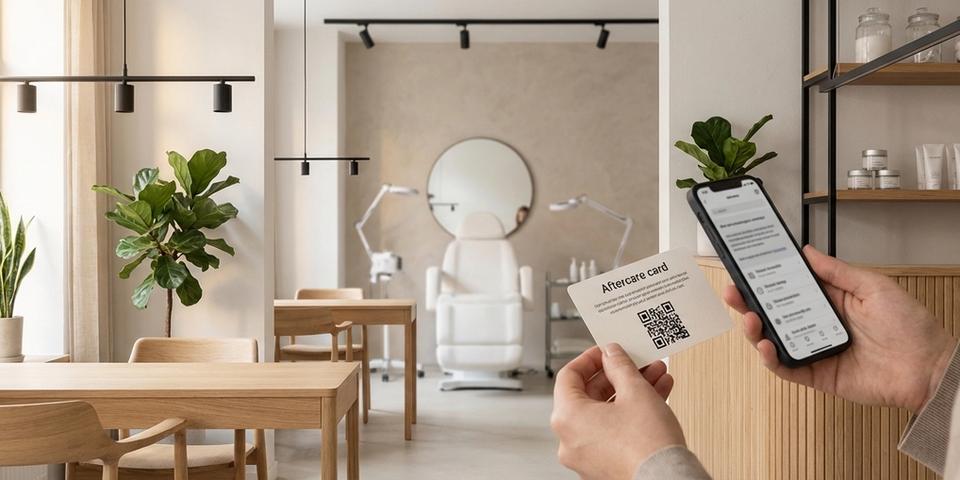
Key features for beauty & health
- ✓Print a QR code on aftercare cards, appointment receipts, or product packaging that links to detailed post-treatment instructions
- ✓Use date range rules to show aftercare instructions during the first days after treatment, then automatically switch to a rebooking page
- ✓Redirect to your review page after the aftercare window closes — ask for feedback when the client is happiest with the result
- ✓Detect the client’s phone language and serve aftercare instructions in Swedish, English, or any language you support
- ✓Use time-of-day rules to show a booking page during salon hours and a self-service form outside hours
- ✓Collect client emails with an email gate before showing aftercare content for follow-up marketing
- ✓Track scan analytics to see how many clients actually read their aftercare instructions and when they rebook
How salon aftercare QR codes work
An aftercare card with a QR code goes home with every client after their treatment — or the same code goes on appointment receipts, product packaging, or business cards. By default, the code opens your aftercare instructions page for that treatment type.
Rules are what make the card follow the client. Each time it is scanned, the code checks where the client is in their aftercare journey and serves the stage they have reached: a date range rule keeps healing instructions front and center during recovery, then hands over to a rebooking page once that window closes, while a browser language rule reads the phone's language and answers in kind.
The rule list is checked from the top at every scan, the first stage that fits is the one the client gets, and if none fits they land on your default page. The printed card never changes — the experience behind it does.
Aftercare instructions that evolve over time
A single QR code can guide your client through their entire post-treatment journey. Use date range rules to control what they see at each stage.
Example for a cosmetic treatment done on June 10:
- Date range: June 10–12 → Immediate aftercare (don’t touch, keep dry, avoid sun)
- Date range: June 13–17 → Recovery phase instructions (gentle cleansing, moisturizer OK)
- Date range: June 18–24 → Rebooking page (“Time for your follow-up? Book here”)
- Default → Review page (“How was your experience? Leave a review”)
Day one: the client scans and sees critical aftercare do’s and don’ts. Day five: the same QR code now shows recovery-phase instructions. Day ten: it’s a rebooking page with your calendar link. Two weeks later: it asks for a Google or social media review.
The client never has to remember which page to visit. They scan the same code every time, and the content matches exactly where they are in their healing journey.
This is especially valuable for treatments with complex aftercare — microblading, chemical peels, laser treatments, dental procedures, tattoos — where the instructions genuinely change day by day.
Automatic rebooking prompts
Most salons and clinics rely on text reminders or emails to get clients to rebook. The problem: those messages compete with a crowded inbox. A QR code on a physical card the client keeps in their wallet or on their bathroom mirror has a different kind of staying power.
Once the aftercare window passes, the QR code automatically becomes a rebooking tool:
• Show your online booking system (Bokadirekt, Treatwell, Calendly, or your own)
• Highlight recommended follow-up treatments
• Offer a loyalty discount for rebooking within 30 days
Use visit count rules to add urgency:
- Visit count ≤ 3 (after aftercare period) → “Rebook now and get 10% off your next treatment”
- Default → Standard booking page
The first three times the client scans after aftercare, they see a discount offer. After that, the standard booking page. No coupon codes to remember, no emails to dig up — just scan and book.
For recurring treatments (hair coloring every 6 weeks, facials every month), update the date range rules before each appointment to restart the aftercare → rebook cycle. The same card works visit after visit.
Review collection at the perfect moment
Timing is everything for reviews. Ask too early and the client hasn’t seen the full result yet. Ask too late and the excitement has faded. With date range rules, you control exactly when the review prompt appears.
Set the default destination to your Google Business review page, Trustpilot profile, or social media page. During the aftercare and rebooking windows, date range rules take priority. Once those rules expire, the QR code naturally falls through to the review page.
The client doesn’t feel pressured — they scan the code looking for aftercare info or rebooking, and when those windows close, the next scan gently nudges them toward leaving a review.
For clinics with multiple review platforms, use day-of-week rules to rotate:
• Monday–Wednesday → Google review page
• Thursday–Friday → Trustpilot review page
• Weekend → Instagram page
This spreads your reviews across platforms evenly without manual effort.
Multilingual aftercare for international clients
A salon in a tourist district — or in any city with international residents — treats clients who never read the local language. And aftercare is exactly where a misread instruction turns into complications, complaints, or a one-star review.
Browser language rules let the card answer in the client's own language:
- Browser language: sv → Swedish aftercare page
- Browser language: en → English aftercare page
- Browser language: fi → Finnish aftercare page
- Default → English aftercare page
Layer in date range rules and the whole journey runs in every language:
- Date range: June 10–14 + Browser language: fi → Finnish aftercare
- Date range: June 10–14 → English aftercare
- Date range: June 15–21 + Browser language: fi → Finnish rebooking
- Date range: June 15–21 → English rebooking
- Default → Review page
An English tourist and a Finnish regular scan the same card and each reads the right content, in the right language, at the right point in their treatment. Nothing to translate on paper, nothing to guess at the counter.
Booking during salon hours, self-service after close
Many clients scan their aftercare card in the evening at home. If they’re ready to rebook, you want to capture that intent even when the salon is closed.
Use a time-of-day rule to serve different booking experiences:
• 09:00–18:00 → Live booking page with phone number and instant chat
• After hours → Self-service booking form with a confirmation email
During opening hours, the client can call or message directly. After closing, they fill in a booking request form and receive a confirmation the next morning. No lost leads because the salon was closed.
Combine with the aftercare date rules:
- Date range: June 10–14 → Aftercare instructions (always, regardless of time)
- Time of day: 09:00–18:00 → Live booking page
- Default → Self-service booking form
During the aftercare window, the client always sees aftercare — it’s the top priority. Once aftercare expires, the time-of-day rule kicks in for booking.
Getting started with aftercare QR codes
- Build one dynamic QR code per treatment type, with the review page — the final stage of the client journey — as its default destination
- Under the Rules tab, add date range rules for the aftercare and rebooking windows; these take priority over the default
- If your chairs see clients in several languages, add browser language rules
- A time-of-day rule lets you separate live booking from self-service booking
- Get the code onto aftercare cards, appointment receipts, or treatment-specific handout sheets
- When a client leaves, adjust the date range rules to match their treatment date
Pick your most popular treatment and start there. Build the aftercare, rebooking, and review pages, wire up the date ranges, then hand the card to your next ten clients and watch the scan analytics.
Once that first card proves itself, give every treatment its own code with tailored aftercare instructions — the rule structure carries over unchanged, only the URLs and date ranges differ.