
QR codes for real estate
Link every listing sign and brochure to virtual tours, floor plans and booking — then update what buyers see by time, language and availability.
Key features for real estate
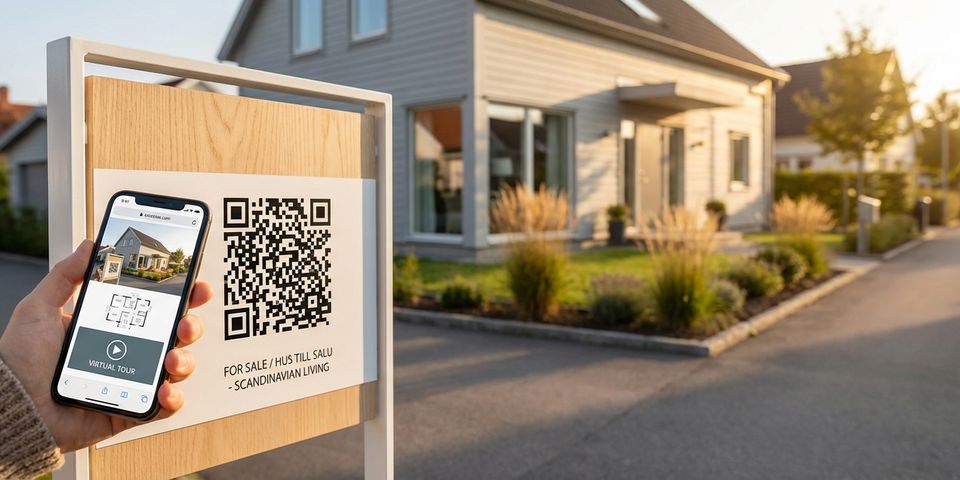
- ✓Place a QR code on every for-sale sign, window card, and printed brochure linking to the full property listing with photos, virtual tour, and floor plan
- ✓Detect the buyer's phone language and serve the listing in Swedish, English, or any language you support
- ✓Use time-of-day rules to redirect to a booking page during office hours and a self-service virtual tour outside office hours
- ✓Add date range rules to switch the destination when an open house is scheduled — scan goes to the registration page that day, property listing every other day
- ✓When a property is sold, update the QR code destination to a “sold — see similar listings” page without removing the physical sign
- ✓Use visit count rules to track interest — after 100 scans, redirect to a waitlist or bidding page
- ✓Collect buyer contact details with an email gate before showing the full listing for qualified lead generation
How QR codes on for-sale signs work
A dynamic QR code on the for-sale sign — and on the window display, the printed brochure, the online listing — starts life pointing at the property's full listing page: photos, description, floor plan, virtual tour link, and your contact details as agent.
Rules turn that code into a listing that reads the room. During office hours a time-of-day rule offers a booking page, while evening scanners get a self-guided virtual tour. On viewing day, a date range rule steps in and routes everyone to open house registration. A browser language rule shows the listing in the buyer's preferred language.
Every scan runs down the rule list in order: the first rule that matches the listing's current moment decides where the buyer lands, and if no rule speaks up, the default listing page does. One printed code carries the property from first teaser to sold — nothing on the sign is ever replaced.
Virtual tours and floor plans on every sign
A for-sale sign can only fit an address and a phone number. A QR code unlocks everything else. Potential buyers walking past scan the code and instantly see:
• High-resolution photo gallery of every room
• Interactive 360° virtual tour (Matterport, iGuide, or your own hosted tour)
• Downloadable floor plan PDF
• Neighborhood information — schools, transit, shops
• Price, square footage, and key details
• One-tap booking link to schedule a physical viewing
Buyers browse on their own time, at the property, when their interest is highest. No need to call the agent first, no need to search for the listing online. The QR code is the bridge between the physical sign and the full digital experience.
For printed brochures and newspaper ads, the same QR code works identically. One code per property, one destination you control.
Office hours booking, after-hours self-service
Buyers don’t only browse during business hours. Someone walking past a property at 9 PM should still get a great experience — just a different one than someone scanning at 10 AM.
Use a time-of-day rule to route scans dynamically:
• 09:00–17:00 → Booking page with agent calendar and phone number
• Outside office hours → Self-service virtual tour with a “request callback” form
During office hours, the buyer lands on a page optimized for immediate action — book a viewing, call the agent, send a message. Outside office hours, they get the virtual tour, floor plan, and a form to leave their details for a callback the next business day.
This means your for-sale sign works 24/7 without requiring 24/7 availability. Evening and weekend scans — when foot traffic past properties is often highest — convert into qualified leads instead of missed opportunities.
Example setup:
• Rule type: Time of day
• From: 09:00 — To: 17:00
• On match: Redirect to booking page
• On fail: Skip (falls through to default virtual tour page)
Open house day routing
When an open house is scheduled, the QR code should lead to a different experience than on a normal day. Use a date range rule to redirect scans on the viewing date to an open house registration page.
Example for an open house on Saturday, June 14:
- Date range: June 14 → Open house registration page (address, time, sign-up form)
- Default → Standard property listing with virtual tour
On June 14, every scan goes straight to the open house page where buyers can register their attendance, see the exact time slot, and get directions. On every other day, the same QR code shows the regular listing.
For properties with multiple open houses, stack date range rules:
- Date range: June 14 → Open house #1 registration
- Date range: June 21 → Open house #2 registration
- Default → Property listing
After the last open house, remove the date rules and the QR code reverts to showing the standard listing. Or update the default to a bidding page when the offer period begins.
Multilingual property listings
Stockholm, Malmö, Göteborg, and the coastal holiday markets all attract buyers from abroad — and a listing that opens in the buyer's own language holds attention that a Swedish-only page loses.
Browser language rules separate international buyers from Swedish locals automatically:
- Browser language: sv → Swedish listing page
- Browser language: en → English listing page
- Browser language: de → German listing page
- Default → English listing page
The Swedish couple next door scans the sign and gets the Swedish listing; a British relocator or a German summer-house hunter scans the same sign and reads it in their own language. One sign, one code, no language menu anyone has to hunt for.
Add time-of-day rules and the pairing covers the clock as well:
- Time of day 09:00–17:00 + Browser language: sv → Swedish booking page
- Time of day 09:00–17:00 → English booking page
- Browser language: sv → Swedish virtual tour
- Default → English virtual tour
Four rules, every combination handled: locals booking during office hours, international buyers touring virtually at midnight. No scan goes to waste.
One QR code through the entire sales lifecycle
Every listing moves through the same arc: coming soon, active, open house, offer period, under contract, sold. A dynamic QR code lets one printed sign keep pace with all of it — each stage is just a new destination URL or rule.
A typical lifecycle:
- Coming soon — a teaser page with basic details and a notify-me email sign-up
- Active listing — the full listing with photos, virtual tour, floor plan, and booking link
- Open house week — a date range rule routes scanners to the registration page on viewing day
- Offer period — the destination switches to a bidding information page
- Under contract — a sale-pending page that suggests similar listings
- Sold — a sold page pointing buyers to comparable properties in the area
Each transition is thirty seconds in the dashboard and costs nothing to print. For an agency running dozens or hundreds of listings at once, that discipline compounds fast.
And the lifecycle doesn't truly end at sold: the buyers who scanned but lost this bidding war are exactly the audience for your next listing — the sold page is where their search continues.
Getting started with real estate QR codes
- Give each property its own dynamic QR code and point the destination URL at the full listing page
- From the Rules tab, wire up context-aware routing — time-of-day for office hours versus after-hours, date range for open houses, browser language for international buyers
- Put the code on for-sale signs, window cards, brochures, newspaper ads, and flyers
- Each time the property enters a new stage of its sales lifecycle, change the destination URL from your dashboard
- Monitor scan analytics to gauge interest per property — scans per day, peak times, and language breakdown
Run a single listing through the workflow first. The pattern then scales across the whole portfolio without rebuilding anything — define your standard office-hours rule once and reuse it on every new listing.
By the time the sign comes down, the same code will have greeted curious neighbours, booked viewings, and announced the sale — and your next listing inherits the whole playbook from day one.