
QR code issue reporting for public buildings
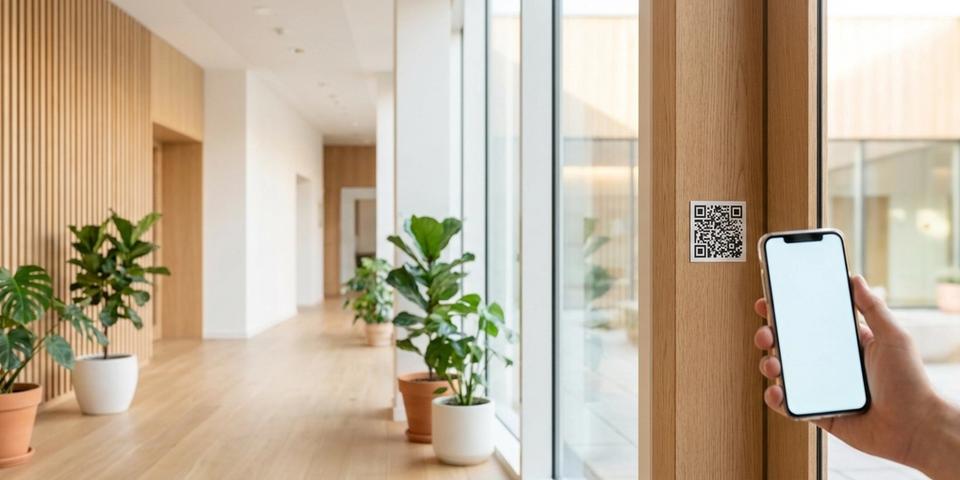
Put a QR code in every classroom, ward and public room — anyone can scan to report a broken chair or a leaking tap, and maintenance is on it the same day.
Key features for public buildings
- ✓QR codes in every room link to a report form that pre-fills the building and room number — reporters only describe what's wrong
- ✓Open reporting — anyone (visitor, student, employee, parent) can flag an issue in seconds, no app download, no account, no login friction
- ✓Optional password gate limits reporting to staff when you want a closed feedback channel
- ✓Browser-language detection serves the form in Swedish, English, or any language your reporters speak
- ✓Scan analytics reveal which rooms generate the most reports — real data for maintenance budgeting and capital planning
- ✓Update the form URL, escalation chain, or destination without reprinting a single label
- ✓Works with any form backend — Microsoft Forms, Google Forms, ServiceNow, FreshService, Jira Service Management, or a plain mailto link
- ✓Durable printed labels survive classrooms, wards, gyms, and hallways for years with no upkeep
How QR code issue reporting works
Letting anyone report an issue by QR code starts with one code per room — classroom 3B, ward 7, the bathroom by the library, the gym changing room. Each code opens a report form where building name and room number arrive pre-filled, leaving the reporter a single job: describe the problem and press submit.
Fifty classrooms or two hundred hospital wards would make that tedious to set up by hand, which is why nobody does. With qrgeno's bulk import you upload a CSV — one row per room with building, room, form URL, and an optional password — and every QR code comes out of a single upload, print-ready. A pilot room grows into a full estate without clicking through the dashboard.
Mount the sticker at eye level by the door. From there, any passer-by with a phone camera files a report in under 30 seconds — no app to download, no account, no login. Aim, tap, describe, submit, and the ticket drops into whatever intake you already run: Microsoft Forms, ServiceNow, FreshService, Jira Service Management, or a plain email inbox.
The rules behind each code work like a switchboard operator: every scan is an incoming call, the operator tries the lines in order from the top, and the first rule that recognizes the caller puts them through — a password gate patches staff to the internal form, a browser-language rule connects reporters to the form in their language, a redirect rule sends each building to its own intake queue. Calls no rule claims go to the default destination. The sticker on the wall stays put while the routing behind it grows with your operations.
Anyone can report — the open channel
Most facilities teams only hear about problems when a staff member has time to file a ticket. A visitor notices a broken chair on Monday morning, walks past it, and it sits broken until Friday when the custodian happens to spot it. A parent sees a door hinge hanging loose at pick-up but doesn't know who to tell. A student finds an empty soap dispenser and assumes someone else will report it.
Open reporting changes that. A QR code in every room invites anyone who notices a problem — visitor, employee, student, patient, parent, contractor — to scan and submit in under a minute. The reporting bar drops from "contact facilities" to "aim your phone."
Typical reports from an open channel:
• A chair in the classroom has a broken leg
• The lock on the ward door is stiff and needs oiling
• A radiator in the lecture hall is making noise
• The tap in the bathroom drips constantly
• A fluorescent light in the gym is flickering
• A paint chip on the corridor wall needs touching up
• The door closer in the library is slamming
None of these require an expert to diagnose. They just need someone to notice and someone to know. The QR code is the bridge.
Staff-only reporting with a password gate
Open reporting works for most rooms, but some buildings need a closed feedback channel. A hospital may want only nurses and orderlies filing equipment reports, to keep clinical detail out of an open form. A secure school zone may want only teachers flagging issues to avoid prank submissions. A research facility may restrict reporting to authorized staff for compliance reasons.
A password gate rule restricts reporting to people who know the code. When someone scans the QR, they're prompted for a password before the form loads. Correct password — they see the report form. Wrong password — they're blocked or redirected to a generic contact page.
Example setup:
• Rule type: Password gate
• Password: (your facilities team's shared code)
• On match: Continue to the report form
• On fail: Redirect to "Contact reception to report an issue"
The password can be rotated at any time from the dashboard without reprinting labels. Change it every term, share it in onboarding, revoke it when someone leaves — the QR label on the wall is unaffected.
Typical closed-channel scenarios:
• Hospital ward — only staff report equipment or facility issues
• Residential care — only carers and managers file reports on living quarters
• Exam rooms and test centres — only invigilators flag problems
• Court and government service rooms — only staff report on public-access spaces
• Secure research labs — only cleared personnel submit facility tickets
The same building often carries QR labels on the equipment itself — see field service: manuals and service logs behind a QR label.
Reports in the reporter's own language
A public building has to hear from everyone who uses it — Swedish-speaking staff, English-speaking visitors, newly arrived students, patients and relatives from everywhere. A form that only exists in Swedish quietly filters out the rest.
Add a browser-language rule and the form arrives in the language the reporter's phone already speaks.
A coverage chain for a typical municipal building:
- Browser language: sv → Swedish form
- Browser language: en → English form
- Browser language: ar → Arabic form
- Browser language: so → Somali form
- Default → Swedish form
An Arabic-speaking parent who spots a broken bench outside the gym scans and reads the form in Arabic. The caretaker walking past a minute later gets it in Swedish. A British consultant visiting the ward files hers in English. One sticker on one wall, three languages served — without anyone picking from a menu.
Every language you cover converts more noticed problems into filed reports. The barrier to reporting falls fastest when the form meets the reporter in their own language.
Scan data as a maintenance signal
Every scan of a room QR code is logged with a timestamp and country. Over a quarter, that log becomes a heat map of your building.
A classroom with fifteen scans in three months is telling you something — a recurring radiator fault, a door lock wearing out, a tap that keeps dripping. A ward with almost no scans is either exceptionally well maintained or quietly hiding issues nobody is reporting. Either signal is useful.
Operational uses of the scan log:
• Identify the ten rooms that generate the most reports and target them for a deeper preventive survey
• Justify maintenance budget with concrete numbers — "the east wing generated 40% of our tickets this quarter"
• Spot seasonal patterns — heating complaints cluster in November, cooling in June
• Track the effect of a renovation — did report volume in classroom 3B drop after the floor was replaced?
• Identify rooms with no scans at all and check whether the QR labels are still visible, intact, and at eye level
Facilities work has historically been reactive. Scan data gives you a proactive signal — the rooms that are trying to tell you something before the next ticket arrives.
Getting started with QR code issue reporting
- Choose where reports should land — Microsoft Forms, Google Forms, ServiceNow, FreshService, Jira Service Management, or a plain email inbox. Anything that reads query parameters from a URL will do.
- Design a single form with fields for building, room, and issue description, pre-filling building and room through URL parameters (
?building=east-wing&room=3B) so reporters only type what's wrong. - Generate one dynamic QR code per room in qrgeno, each pointing at the form with its room parameters baked in.
- Sort your rooms into open and staff-only: a password gate rule in front of staff-only rooms, a straight path to the form for the rest.
- Cover additional languages with browser-language rules where your building's population needs them.
- Produce labels that match the location — weatherproof vinyl at outdoor entrances, standard paper indoors — and place them at eye level beside the door.
- Let the reports and scan analytics guide you, tuning room assignments and language rules as patterns emerge.
Prove the setup in one pilot building first — a single school, hospital wing, or municipal office — until the form template and placement conventions feel settled, then extend across the estate. Because every QR code stands alone, a handful of trial rooms can be reworked freely without touching the rest.